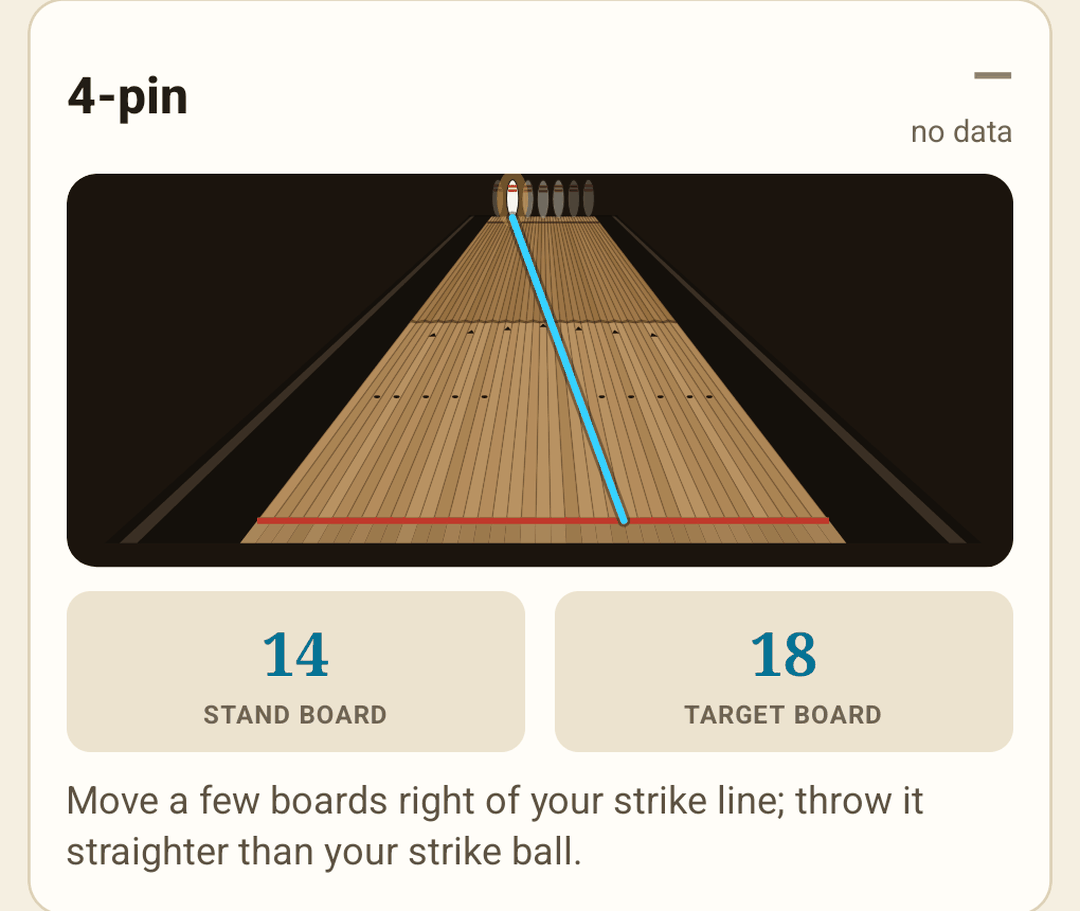
Spare guide
Pick the leave and see it from where you stand: the line to the pin, your stand board and target.
BowlEye turns one phone on a tripod into a practice partner that answers the only question that matters: did the ball go where you aimed it? Every shot is recorded, measured and called — through or miss — so practice becomes proof.
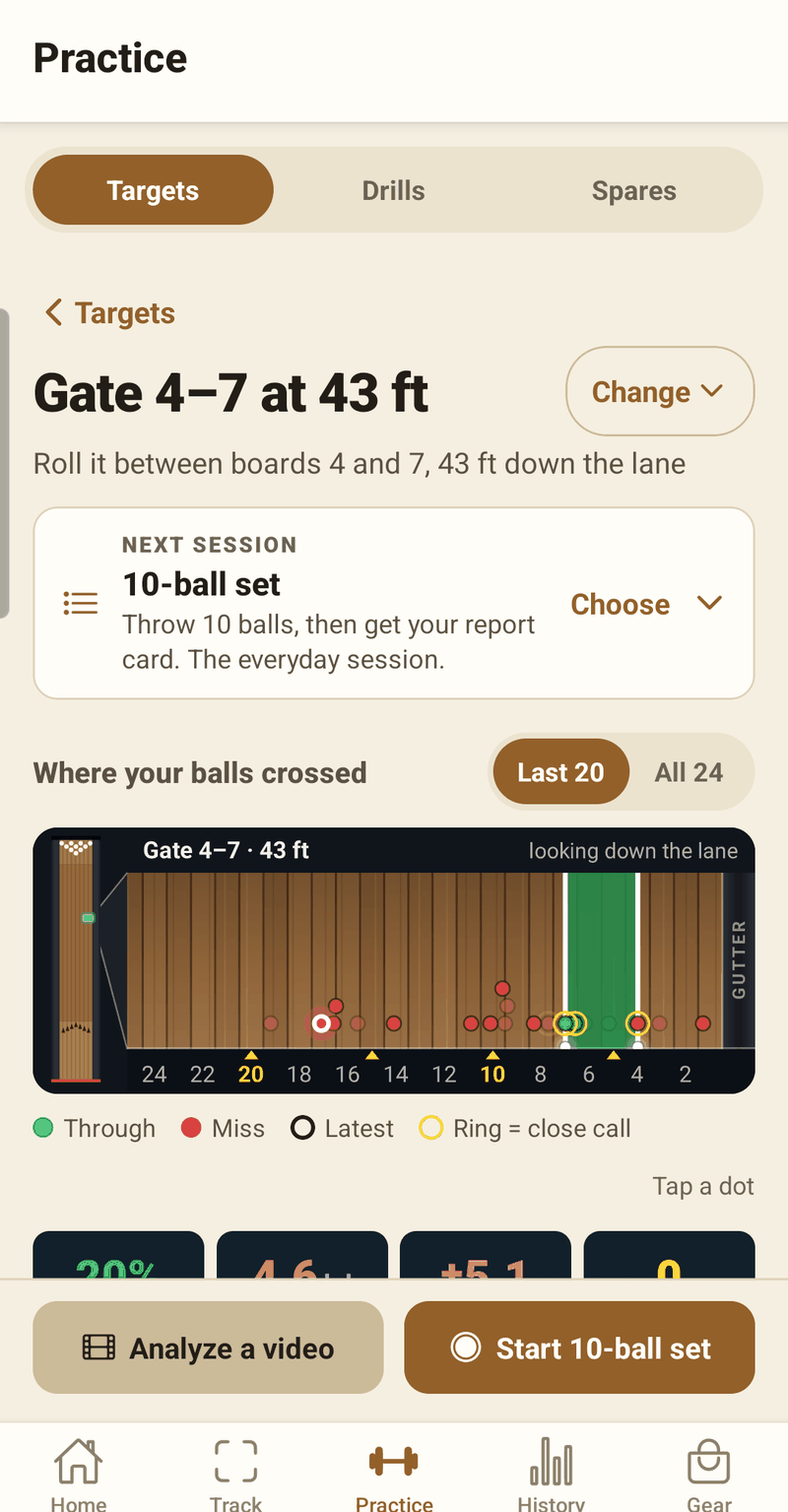
Choose what you're aiming at. BowlEye watches every ball cross it and calls it — through or miss — by its best estimate of where the ball really went. Close calls are marked as close calls, not rounded in your favour.
Gate 4–7 at 43 ft, ten balls to a set. Roll one and watch it get called — the same way BowlEye calls yours.
Ten balls make a set. Roll the first one.
A demo with simulated balls, and the lane drawn wider than true scale so the boards show. In the app, every call comes from your own tracked shot — and close calls are marked, not rounded in your favour.
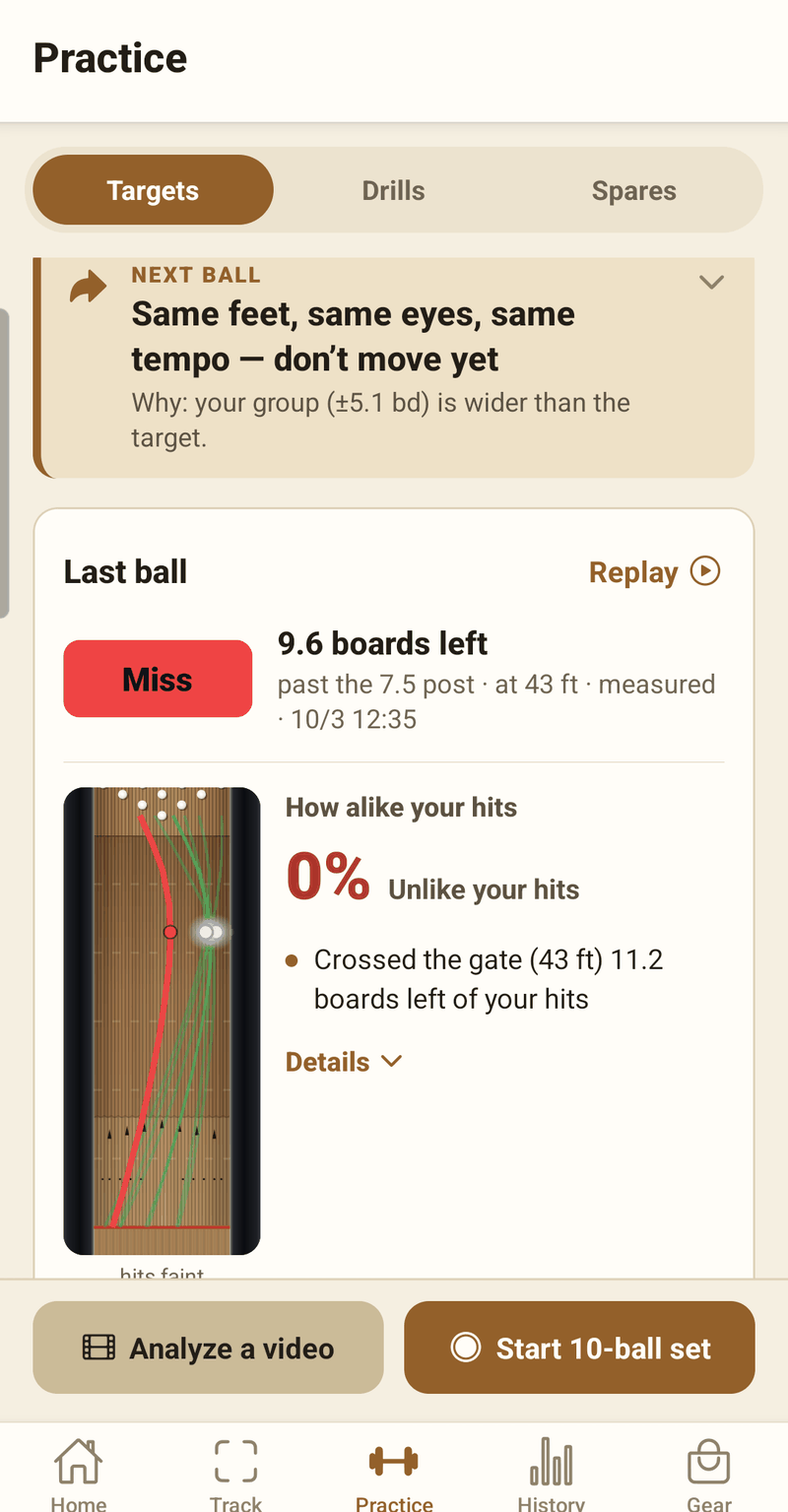
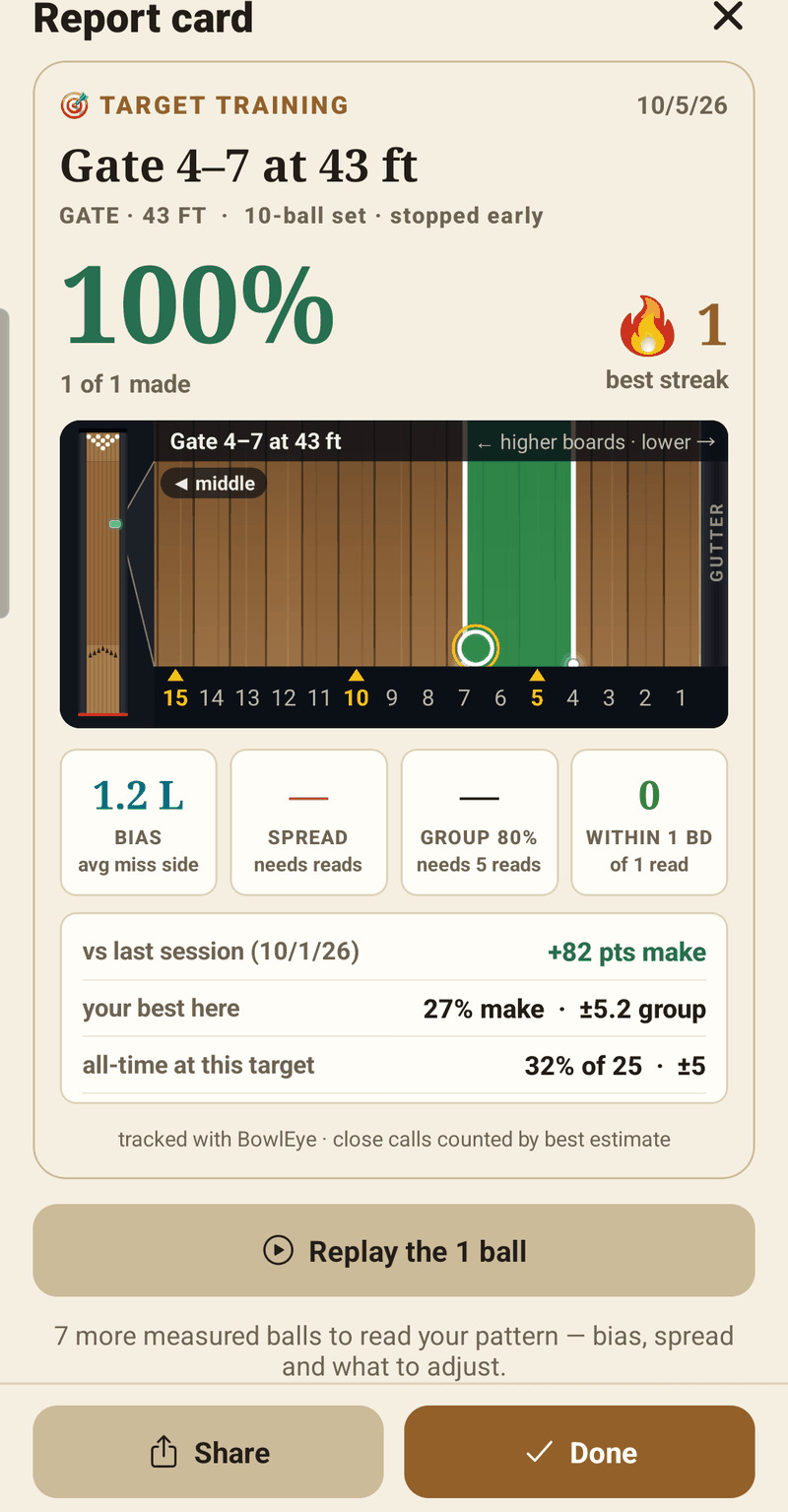
through, miss, close call — plotted where it crossed, looking down the lane.
Your make rate, best streak, and how tight your group is in boards — so “consistent” becomes a number.
After each shot, one plain-language note: hold, or what to change. It reads your group, not just the last throw.
Throw ten, get graded. The everyday session that turns open bowling into practice.
Entry spread, speed, angle, rev rate — pick a target and track it session to session.
No sensors on the lane, nothing on the ball, nothing to wear. The phone does the watching.
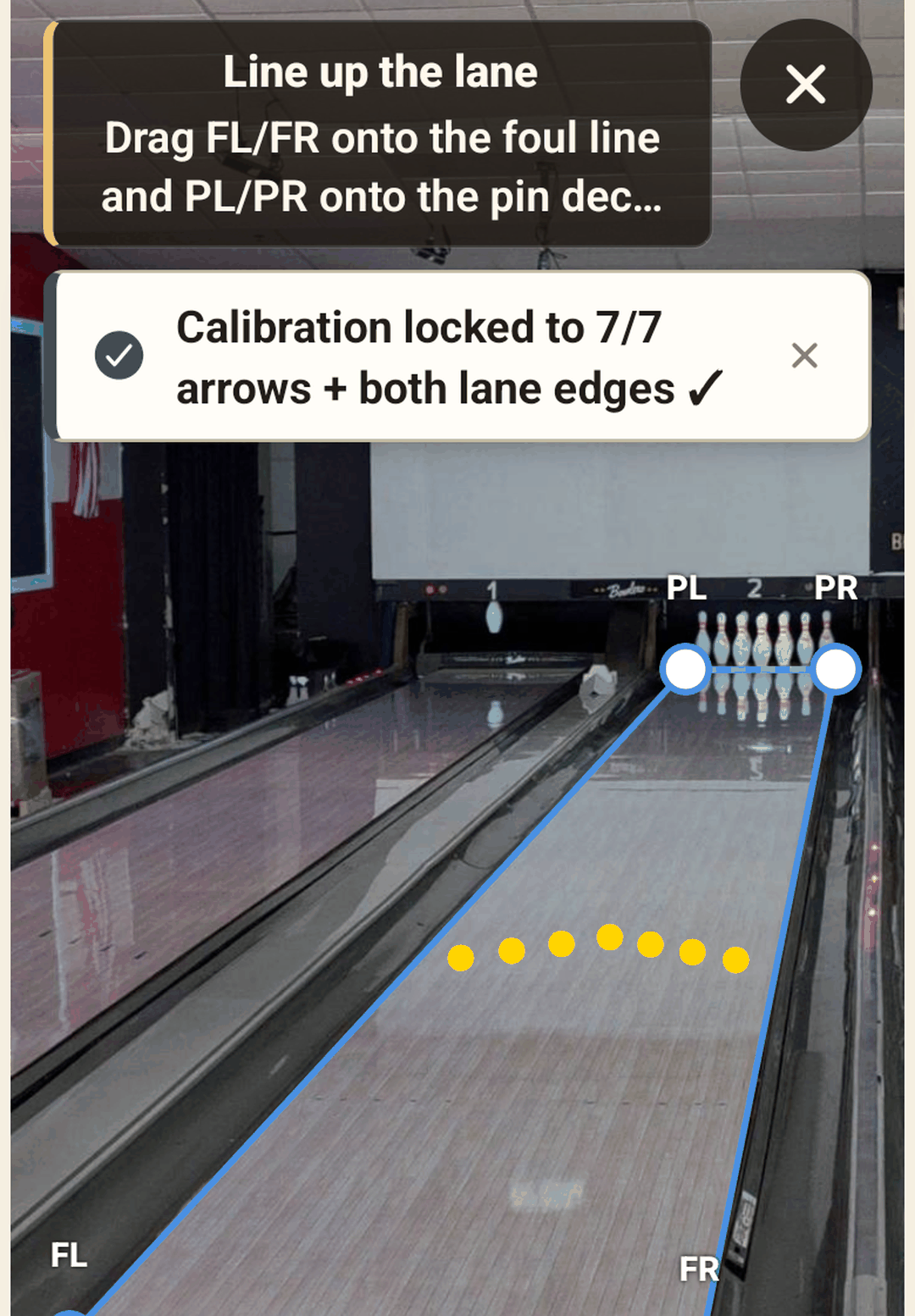
On a tripod at bowler height, behind the approach, with the lane in view. BowlEye locks onto the arrows and lane edges — or line it up by hand. Once per lane.
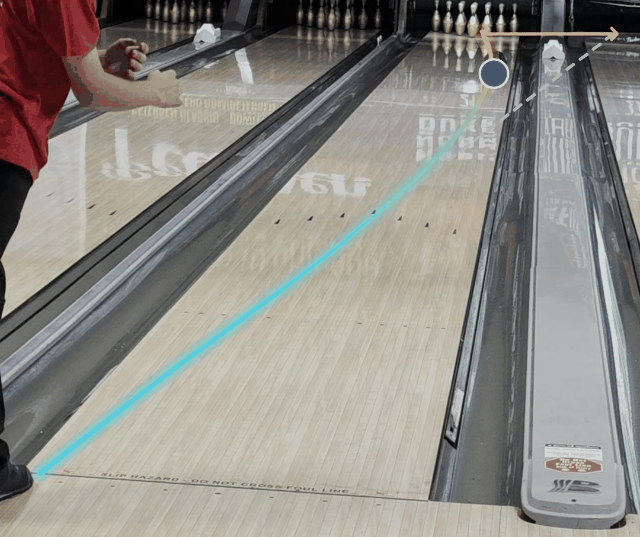
Turn on Auto and it watches the lane, recording each shot by itself. No tapping between balls.
Analysis runs on the phone — about 8–10 seconds to a replay with your path drawn at true scale and every number beside it.
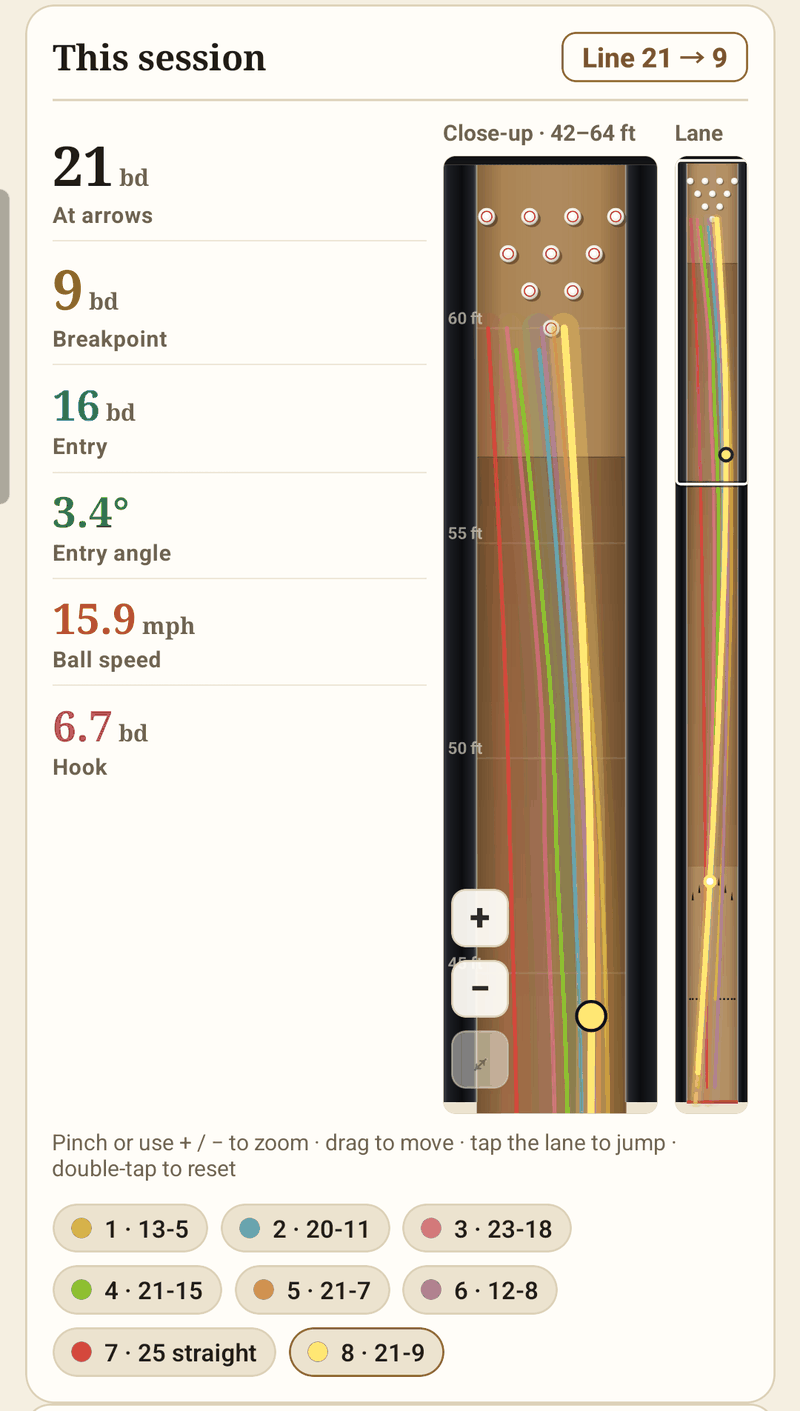
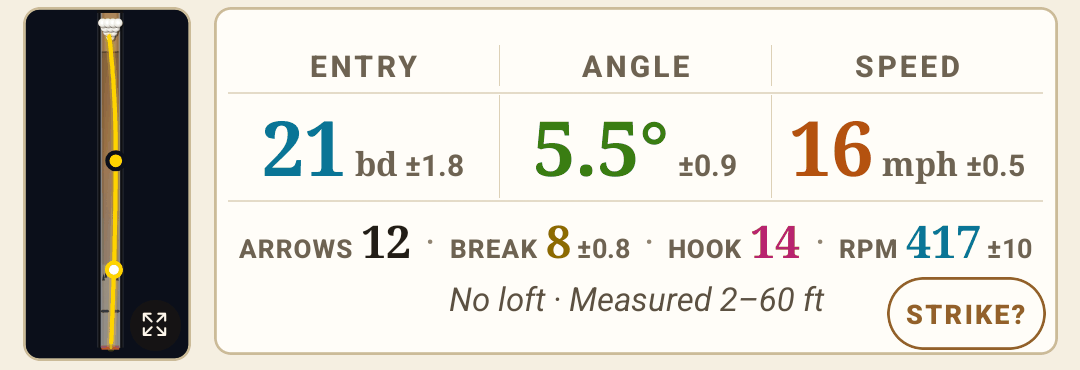
Every ball gets the measurements coaches actually talk about, with the path drawn at true lane proportions. One real shot, as the app read it:
| Measure | What it tells you | This shot |
|---|---|---|
| At the arrows | The board you actually crossed — your target, checked. | 12bd |
| Breakpoint | Where the ball stopped going out and turned for the pocket. | 8bd ±0.8 |
| Hook | Boards the ball came back from the breakpoint. | 14bd |
| Entry board | The board it reached the pins on. | 21bd ±1.8 |
| Entry angle | How steeply it came into the pocket. | 5.5°±0.9 |
| Speed | Ball speed down the lane. | 16mph ±0.5 |
| Rev rate | Measured from the ball's cover turning on video. | 417rpm ±10 |
| Loft | How far past the foul line the ball landed. | None |
Honest by design: every number carries its ± so you know how sure it is, and anything projected rather than seen is flagged EST. A wide ± is still useful — a confident wrong number isn't.
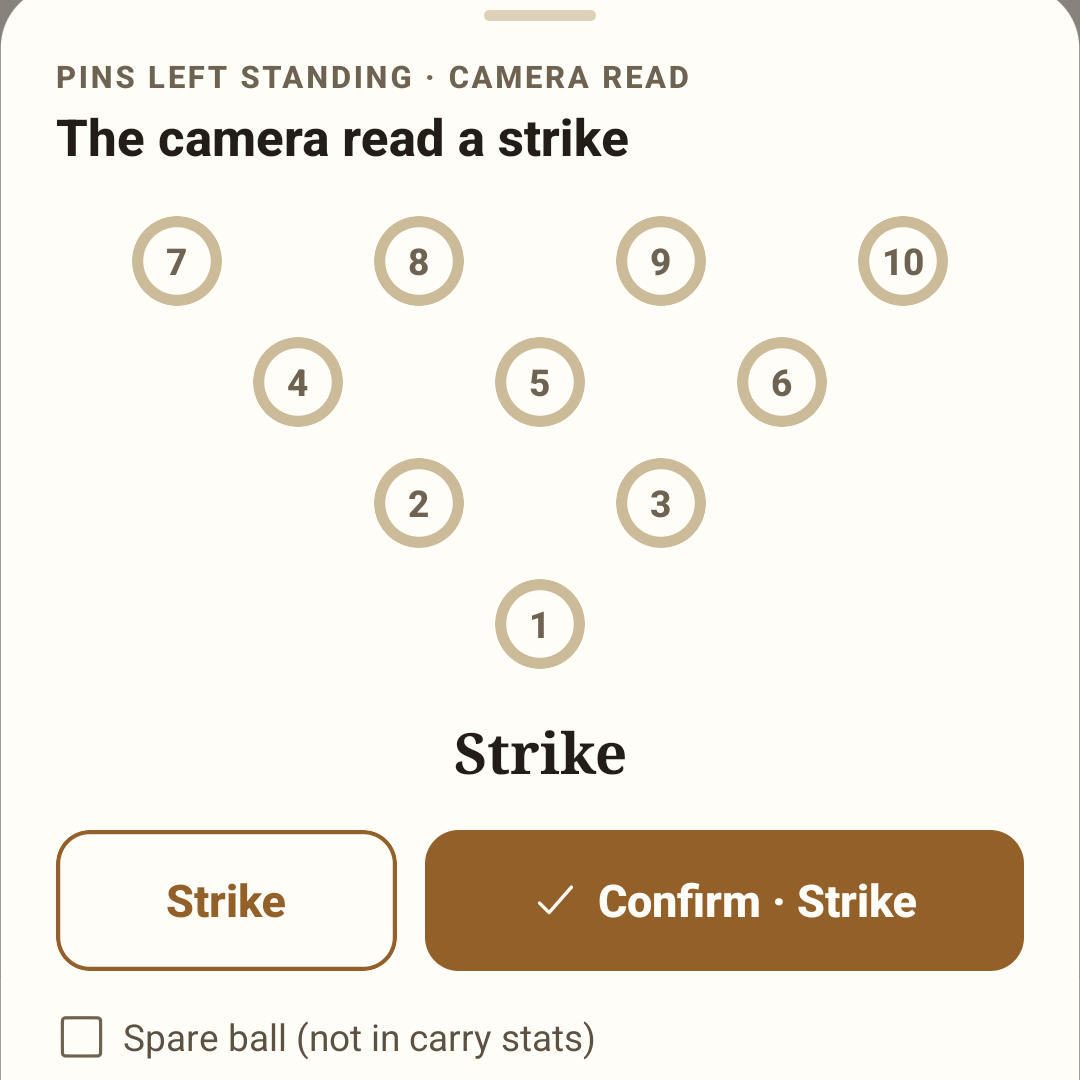
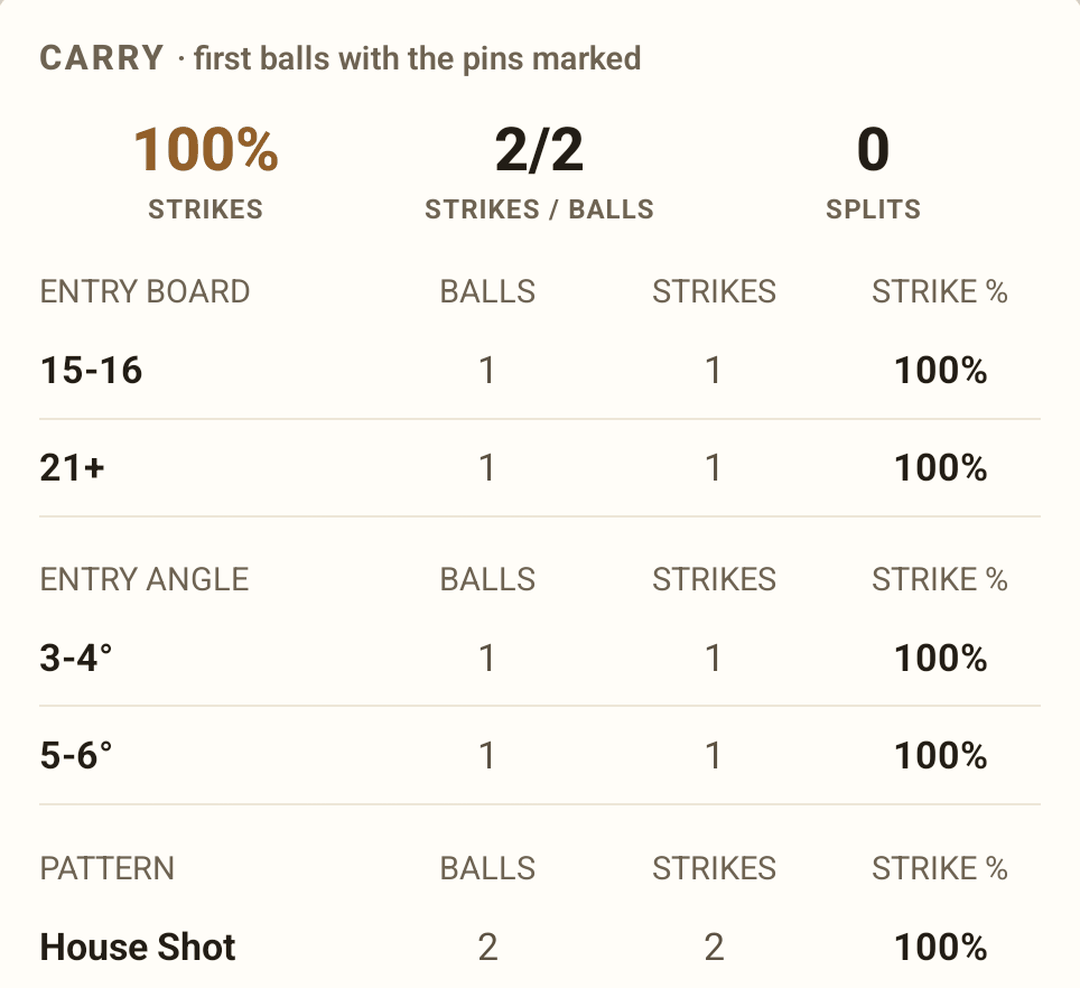
After each shot BowlEye calls strike or leave and pre-marks the pins it can see. Tap to confirm, or tap a pin hidden behind another. Your carry adds up by entry board, angle and pattern.
Rev rate is read from the ball's cover turning on video: ±~10 rpm at 30 fps, ±~5 at 60. A plain ball needs a small tape or pen mark.
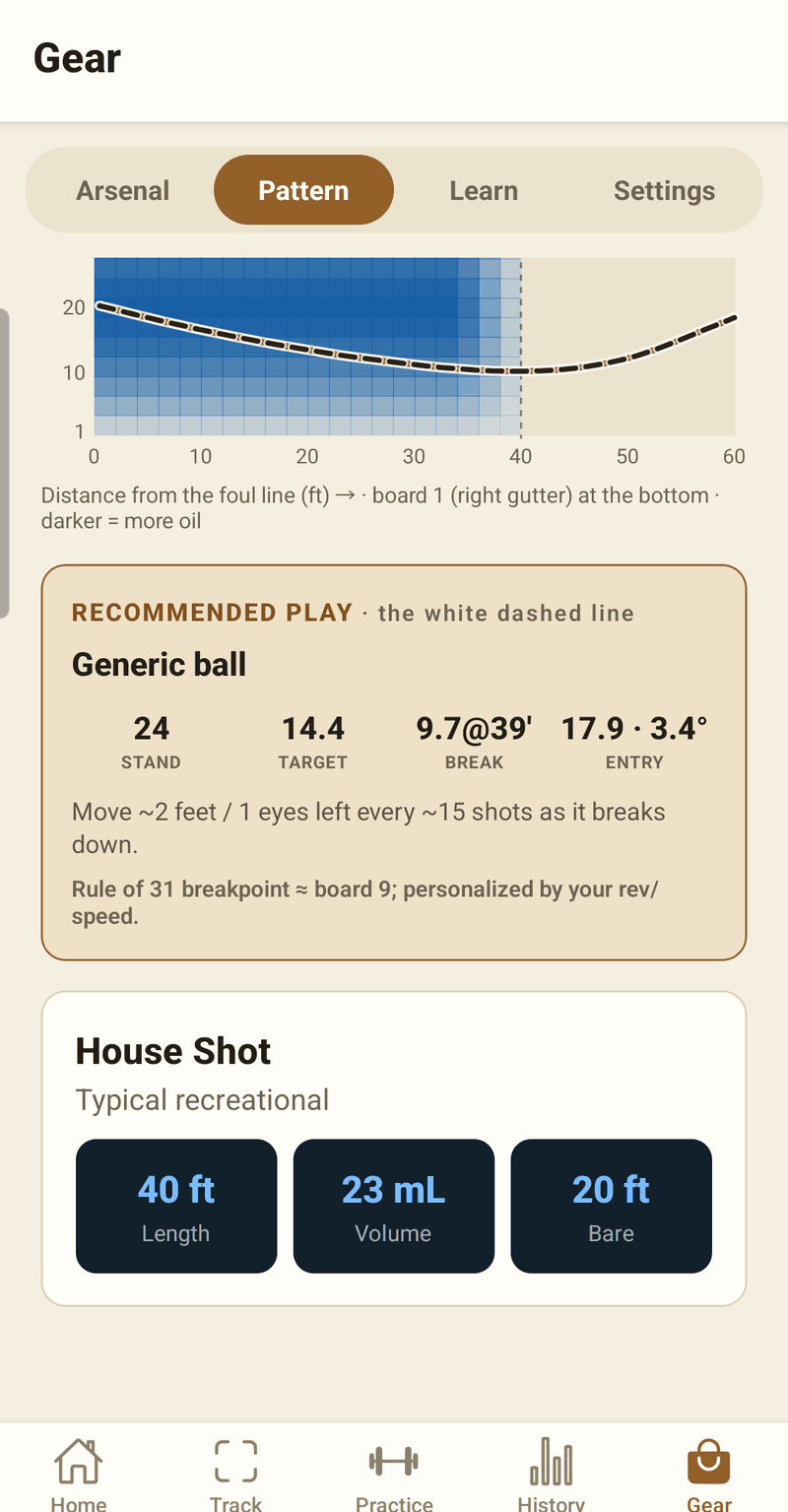
Fifteen patterns built in from published Kegel and PBA sheets, drawn the way you'd read them: a realistic lane and a Kegel-style pattern sheet. A physics model uses the pattern's length and oil ratio to predict your line and recommend a play — then your real tracked shots are drawn over the oil.
| Pattern | Family | Length | Volume | Ratio |
|---|---|---|---|---|
| House Shot | Typical house | 40 ft | 22 mL | 8:1 |
| Easy Street | Kegel recreation | 38 ft | 18.7 mL | — |
| Wall Street | Kegel recreation | 40 ft | 19.7 mL | 9:1 |
| Main Street | Kegel recreation | 41 ft | 19.3 mL | 10:1 |
| Beaten Path | Kegel challenge | 41 ft | 26.05 mL | 5.71:1 |
| Route 66 | Kegel challenge | 45 ft | 23.45 mL | 6.25:1 |
| Wolf | PBA · short | 34 ft | 31.78 mL | 1.31:1 |
| Cheetah | PBA · short | 35 ft | 33.55 mL | 2:1 |
| Viper | PBA · medium | 38 ft | 27.8 mL | 2.26:1 |
| Chameleon | PBA · medium | 41 ft | 33.24 mL | 2.66:1 |
| Bear | PBA · medium | 41 ft | 30.1 mL | 2.29:1 |
| Scorpion | PBA · medium | 42 ft | 35.1 mL | 2.78:1 |
| Dragon | PBA · long | 45 ft | 29.5 mL | 3.03:1 |
| Badger | PBA · long | 47 ft | 28.7 mL | 3.19:1 |
| Shark | PBA · long | 48 ft | 29.2 mL | — |
Specs follow the published sheets the app cites (PBA patterns from their 2024/2025 versions). The predicted line is a model — your tracked shots are the truth, and they're drawn on the same sheet.
Pick the leave and see it from where you stand: the line to the pin, your stand board and target.
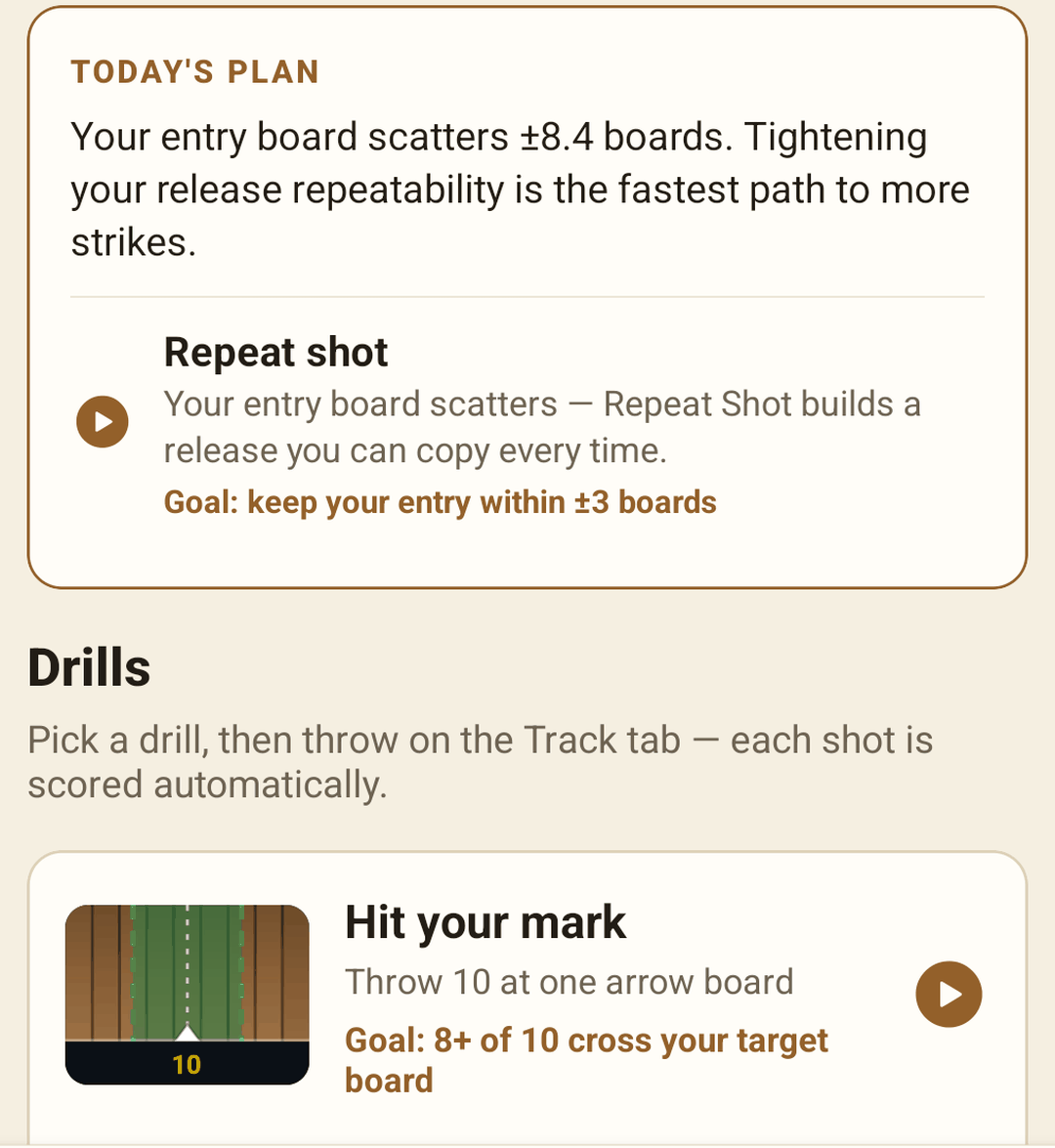
Picture-first drills, scored automatically as you throw, plus a plan built from what your numbers say to work on.
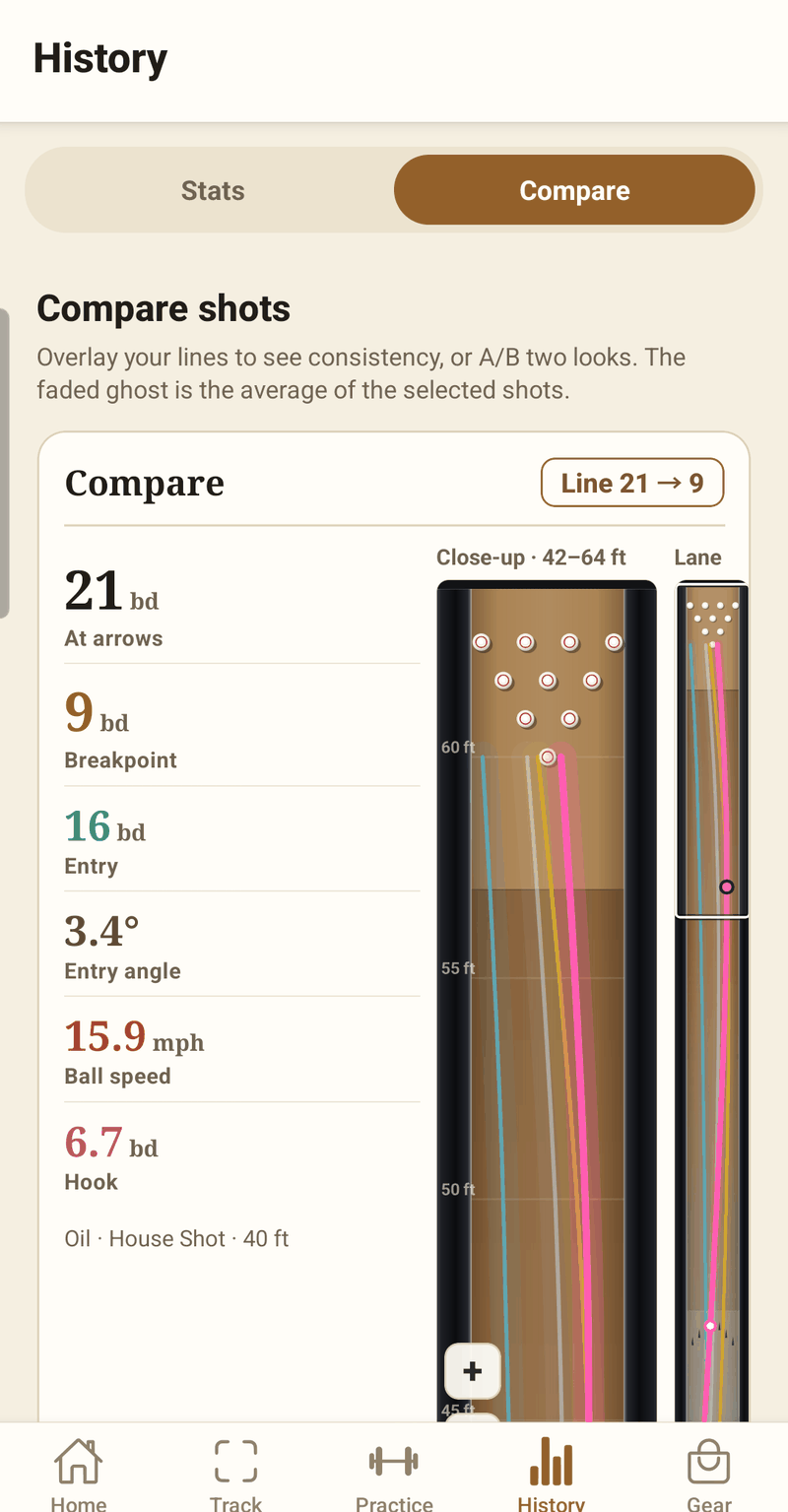
Lay shots over each other — a good one beside a bad one, or tonight against your average.
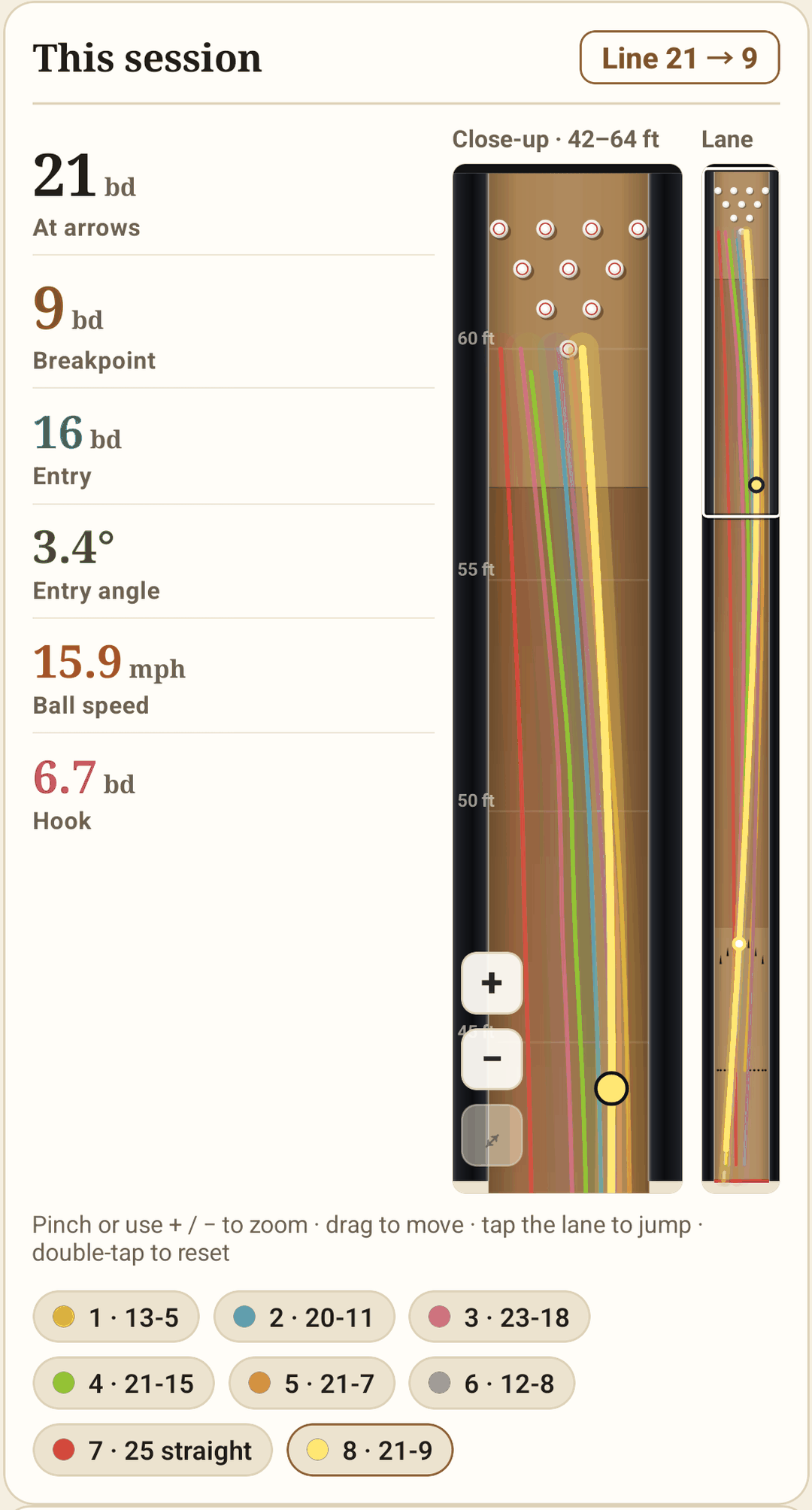
A lane drawn at real proportions, with a close-up of the back end (42–64 ft), where the pocket is won or lost.
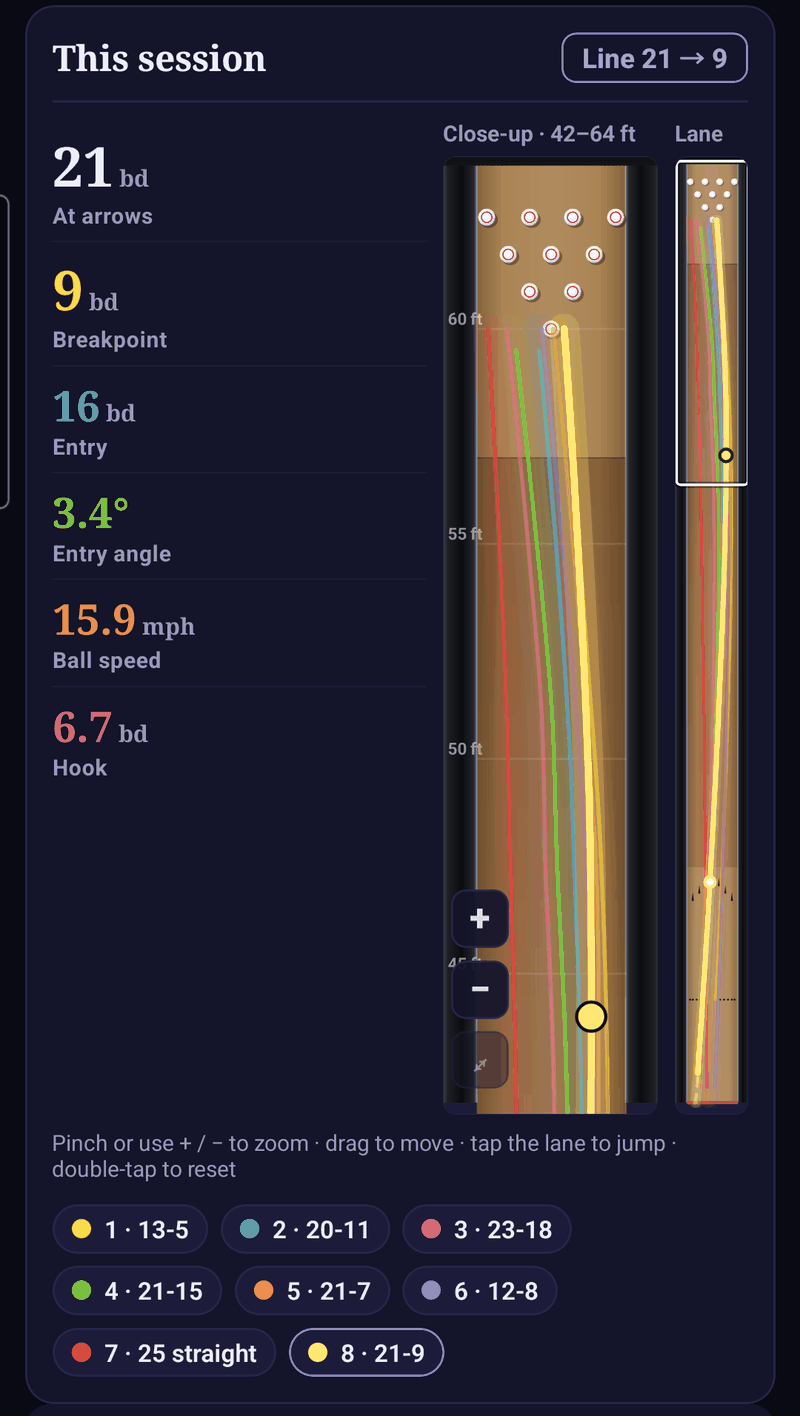
Coach's Paper by default; Indigo for cosmic bowling and late leagues. Every screen, both ways — tap to compare.
BowlEye connects to The Ballroom: your arsenal with layouts, your oil patterns and your release profile come in, and practice sessions can sync back — so your bowling lives in one place. Not a Ballroom user? Nothing changes; your shots stay on your phone.
You choose whether to connect. Disconnect any time.
How a phone on a tripod stacks up against the two ways bowlers usually keep track: sensors built into the lanes, and a notebook.
 BowlEye | Lane sensor systems | Manual notes | |
|---|---|---|---|
| What you need | One phone on a tripod | Hardware installed at the center | Pen, paper or a spreadsheet |
| Practice on any lane you bowl | Yes | Only where installed | Yes |
| Each ball called through / miss on your target | Yes | Varies | By eye |
| Entry board, angle and speed every shot | Yeswith ± on each | Yes | No |
| Rev rate measured from video | Yescover pattern or a tape mark | Varies | No |
| Arsenal & patterns from The Ballroom | Yesoptional | — | Retype it |
| Your shots stay on your device | Yes | Varies | Yes |
Lane sensor systems differ from one to the next, so “Varies” means it depends on the system. BowlEye's column lists only what the app does today.
Something not covered? Ask when you sign up for early access.
A phone and a tripod or phone stand. That's it — no sensors, no lane hardware, nothing on the ball or on you.
Both. BowlEye is coming to Android and iPhone; neither store listing is live yet. The beta is running with Android testers first — ask for early access and tell us which phone you use, and we'll be in touch when there's a build for it.
Every measurement shows its ± so you can see how sure it is, and values that are projected rather than seen are marked EST. Target calls use the best estimate of where the ball crossed, and close calls are marked as such.
Yes — and it's optional. Connect The Ballroom to bring in your arsenal with layouts, your oil patterns and your release profile, and sync practice sessions back if you want. BowlEye works fully without it.
Your shots, sessions and videos stay on your phone, and shot analysis runs on the device. Lane detection runs on the phone too. What does leave it is in the privacy note: a few anonymous daily usage counts (no account, no ID, nothing you recorded; you can switch them off), optional cloud detectors in Advanced settings — off unless you turn them on with your own Roboflow key — and The Ballroom, which exchanges data only if you connect it.
Early access
BowlEye is coming to Android and iPhone. Ask for an invite, tell us which phone you bowl with, and bring a tripod to your next session.
Join the betaOpens your email app; we reply with an invite. Android beta testers first.
Kegel, PBA and The Ballroom are names of their respective owners; pattern specs are from their published sheets. BowlEye is not affiliated with Kegel or the PBA.